Case Study, Georgia Institute of Technology

Nobody Could Find It: Redesigning HappyCow's Trip Planning Experience

HappyCow is where plant-based travelers go to find restaurants they can actually eat at. The community is active and the listings are good. But the app's trip planning feature, Trips, was almost impossible to find, and when users did find it, it didn't tell them what they actually needed to know. This project rethought the Trips experience from the ground up.

Project Type
Academic, Georgia Tech
Role
UX Designer, Researcher
Timeline
2024
Deliverable
Medium-fidelity prototype

The feature nobody knew existed

HappyCow had a trip planning feature. Most of its users had no idea. Trips was buried two taps deep inside a tab called "Saved," which is not where anyone looks when they're trying to plan a vacation. So instead of using it, people were piecing together their itineraries across Google Maps, Reddit, and random travel blogs.

The bigger issue was trust. "Vegetarian" means different things in different countries, and users knew it. Before sitting down at any restaurant abroad, they were spending 5 to 10 minutes on forums trying to figure out whether the local definition of vegetarian would actually cover their restrictions. HappyCow was perfectly positioned to solve this. It just wasn't.

What was actually going wrong

Buried
Discoverability
Trips was nested under "Saved" with no direct entry point from primary navigation. Users never found it on their own.
41%
Served wrong ingredients abroad
Survey respondents received restricted ingredients despite explicit communication, signaling a need for destination-specific dietary warnings.
5–10 min
Cross-referencing forums
Users spent this long verifying whether local "vegetarian" definitions matched their restrictions before trusting a listing.

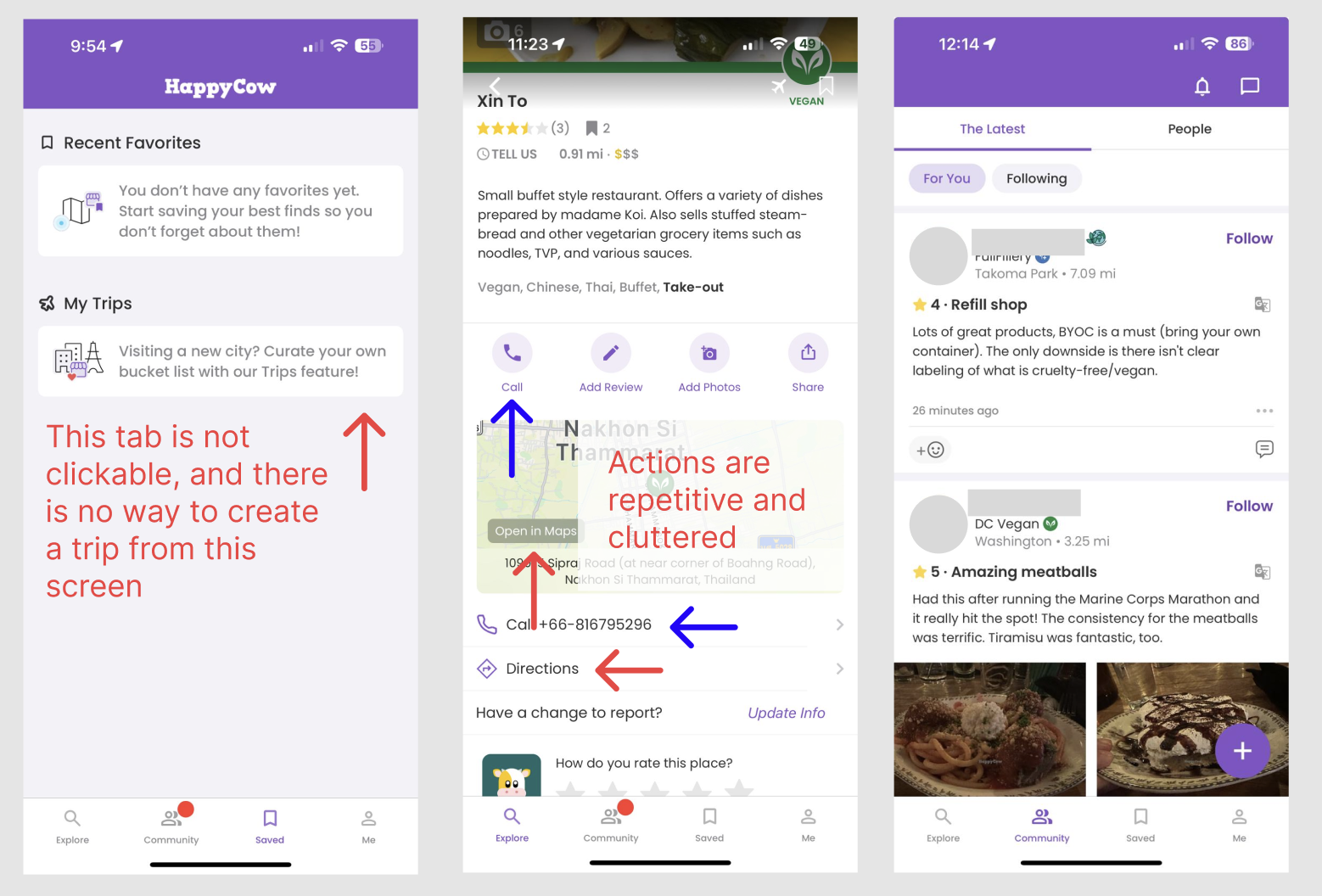
On top of that, the restaurant screen itself was cluttered. There were duplicate phone buttons, multiple map instances, and filters that reset every time you panned the map. Small things, but they added up. Users were doing a lot of work the app should have been doing for them.

Legacy HappyCow interface
The legacy interface; Trips buried under "Saved," duplicate map and call elements, no dietary context surfaced inline

What I learned talking to plant-based travelers

I ran a 41-person survey and sat with 4 participants for think-aloud sessions. The survey gave me numbers; the sessions showed me what it actually felt like to use the app when you're trying to plan a trip.

Nobody could find Trips on their own. They looked in the right general area but "Saved" just didn't read as a planning tool. When I asked participants where they expected to find trip planning, they pointed to the bottom nav every time.

"Dietary term definitions vary significantly by region. 'Vegetarian' in parts of South America may include lard; in India it typically excludes eggs. Users had no way to know this from inside the app, so they left to find out."

The finding that stuck with me most: people wanted the app open at the table, not just before they left the hotel. They were using it to double-check things mid-meal, to show the waiter, to look up what was actually in a dish. But the app had nothing for that moment. It ended at the search results page.
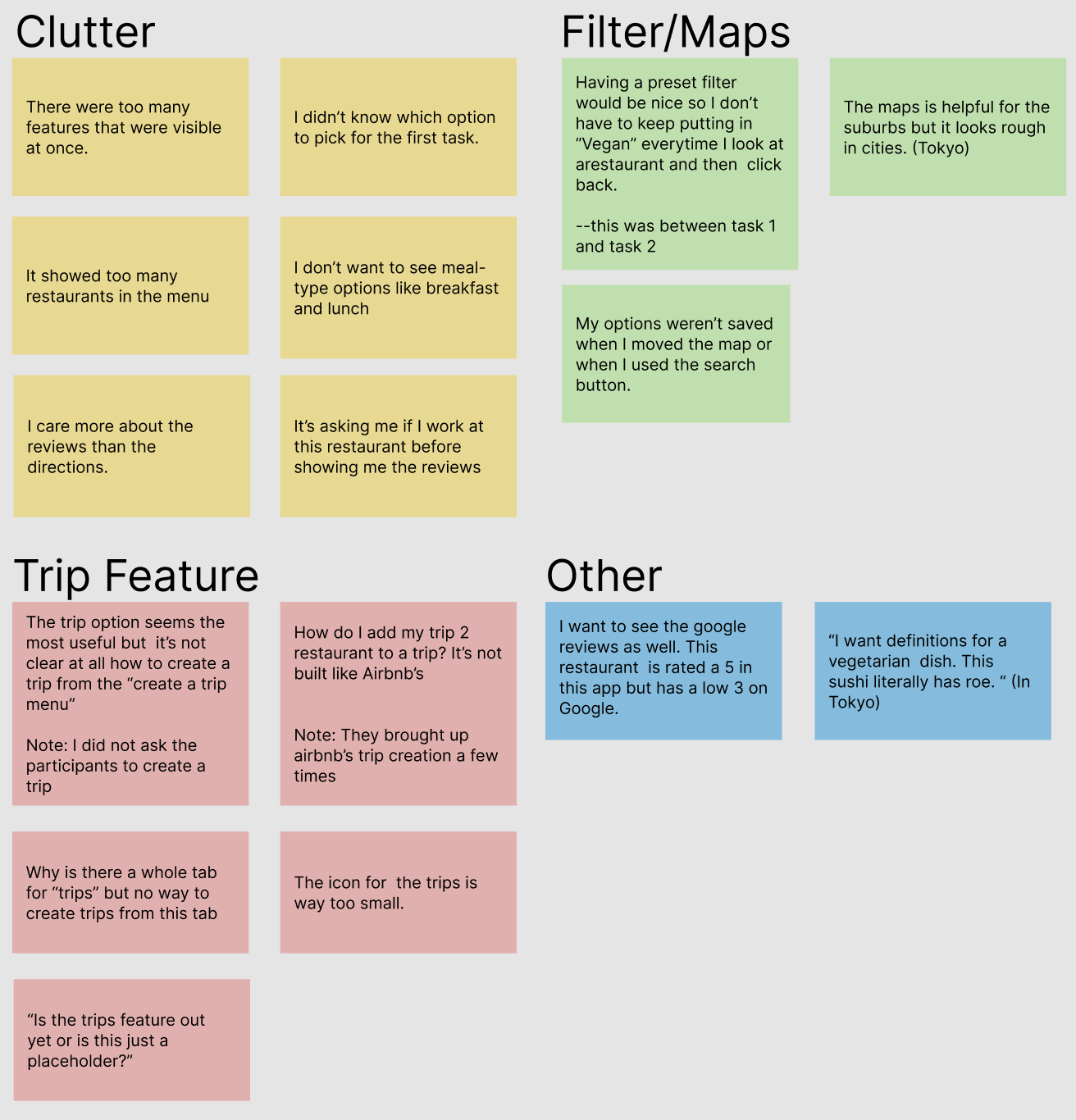
Affinity map
Affinity mapping clustered user feedback into four themes: Clutter, Filters, Trips, and Other

How I got to the solution

I kept the process tight. Each stage was meant to answer a specific question before moving forward.
01
Heuristic Evaluation
Went through the existing app screen by screen against Nielsen-Norman heuristics. Redundancy and broken navigation hierarchy came up constantly.
02
Affinity Mapping
Grouped everything from the survey and sessions into themes: Clutter, Filters, Trips, and Other. Trips had way more friction than you'd expect for a feature almost nobody was using.
03
Low-Fidelity Prototyping
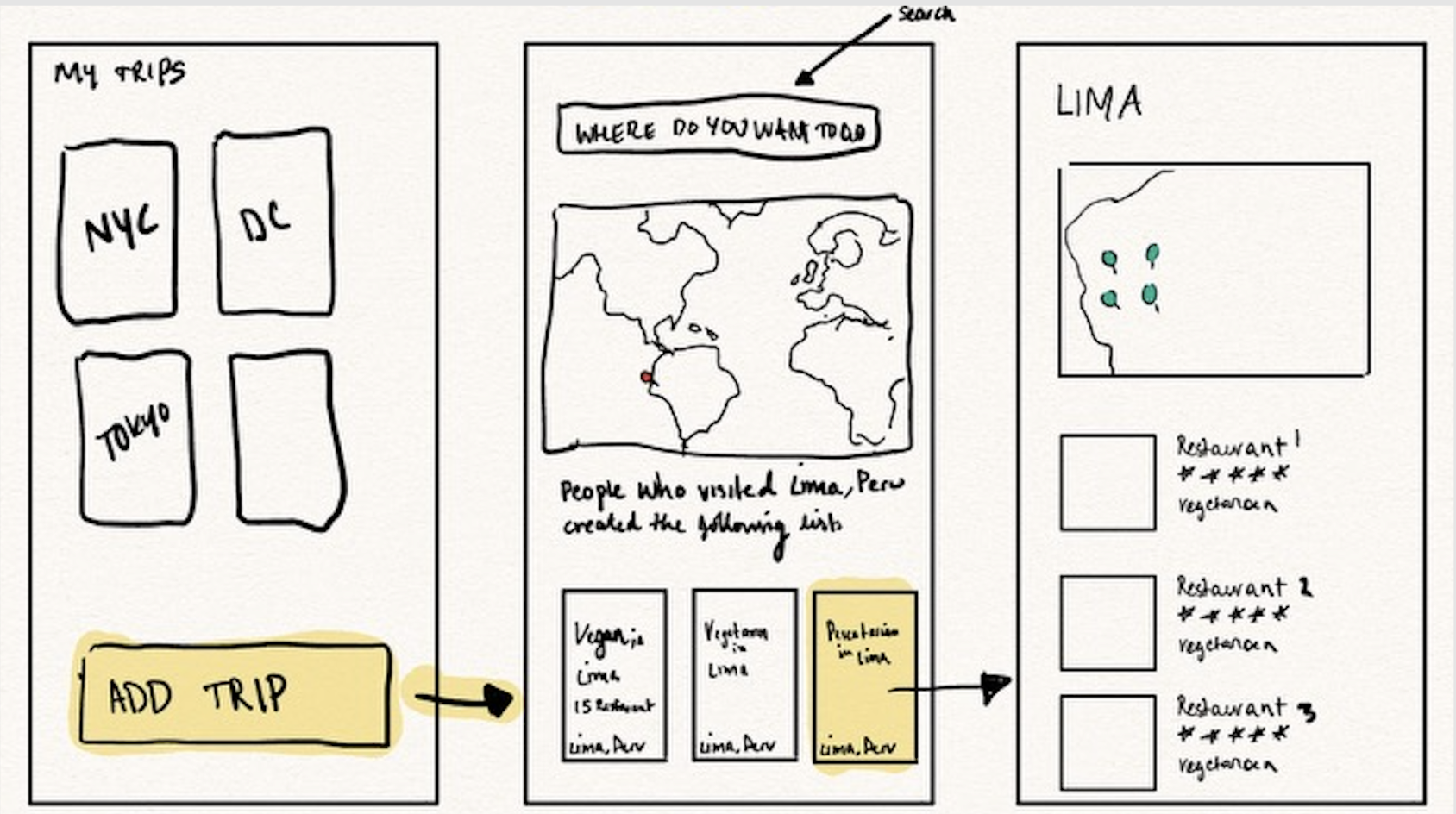
Sketched three ways to surface Trips: a dedicated tab, an entry point from the search flow, and a persistent shortcut in the bottom bar. Kept them rough on purpose to stay focused on structure over style.
04
Think-Aloud Testing
Every participant preferred the dedicated tab. They wanted the fewest taps to get there and no dead ends. That was the signal I needed.
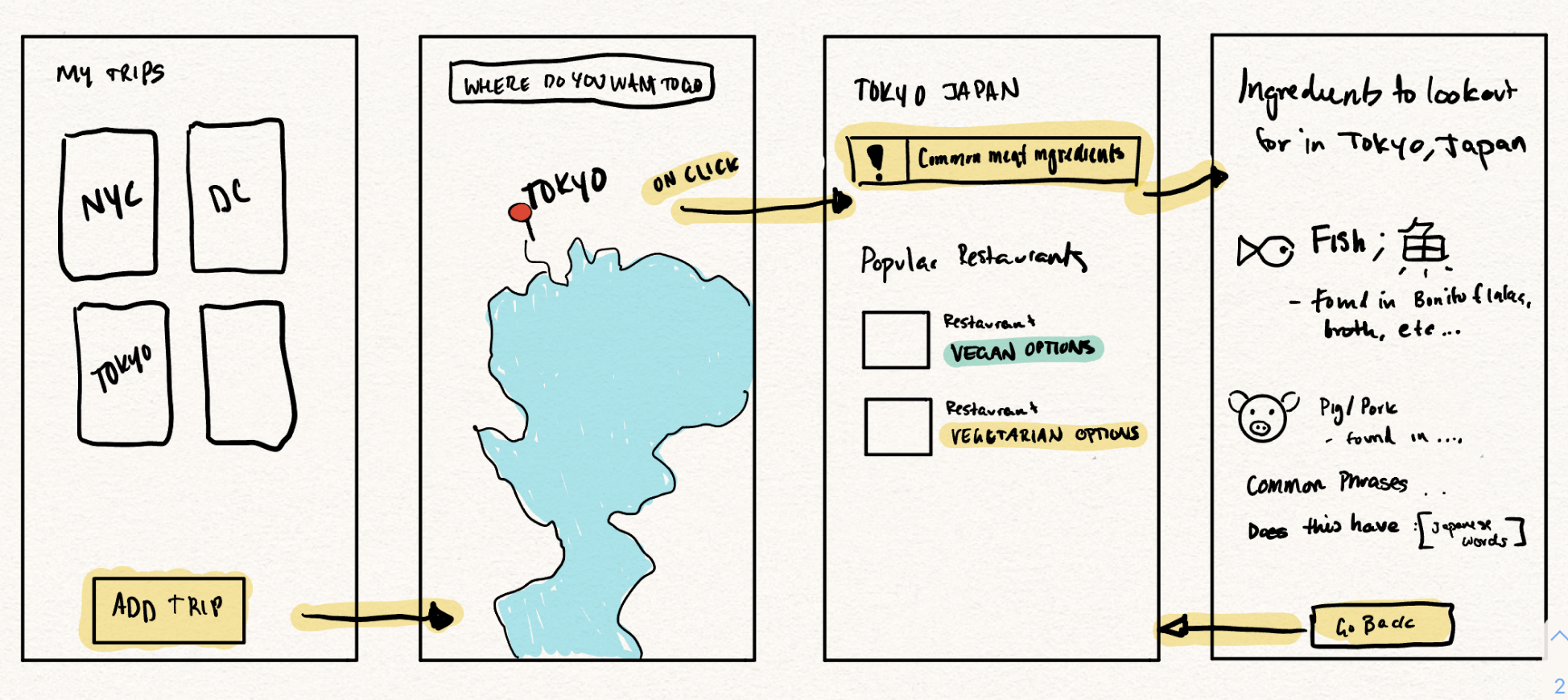
Lo-fi wireframe iteration 1 Lo-fi wireframe iteration 2
The low fidelity wireframes made after brainstorming different solutions to tackle the problems that arose during the affinity mapping session.

The four things I changed and why

None of these were arbitrary. Each one came directly out of something I saw in research.

Dedicated Trips tab
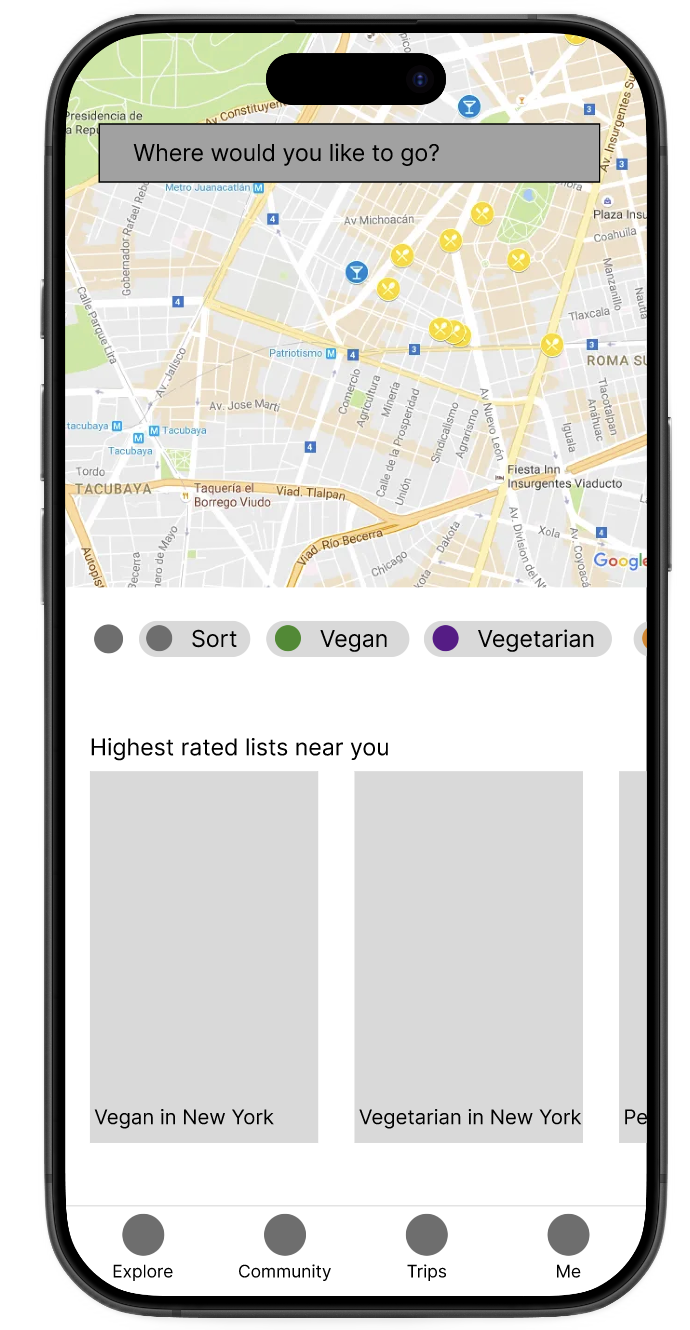
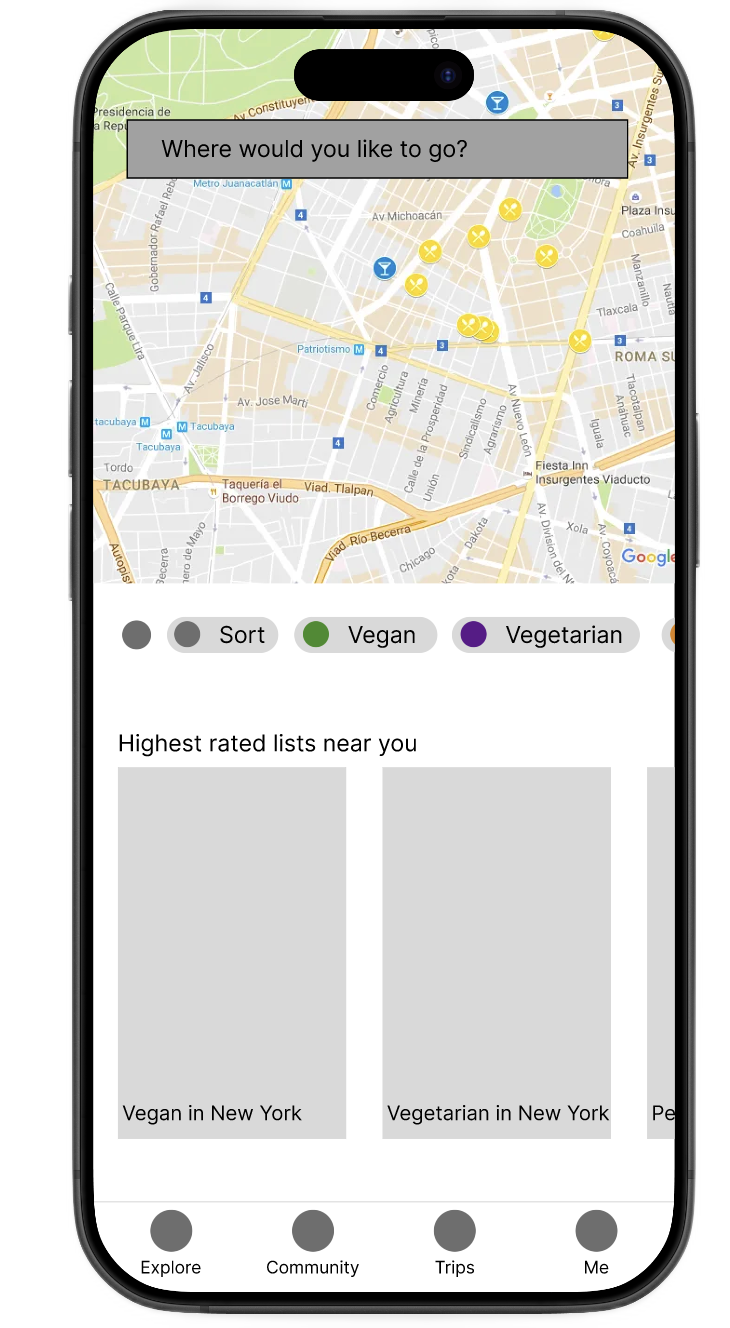
Moved Trips into the main bottom nav and retired "Saved." One tap to get there instead of three. The label now matches what users are actually trying to do.
Contextual warning banner
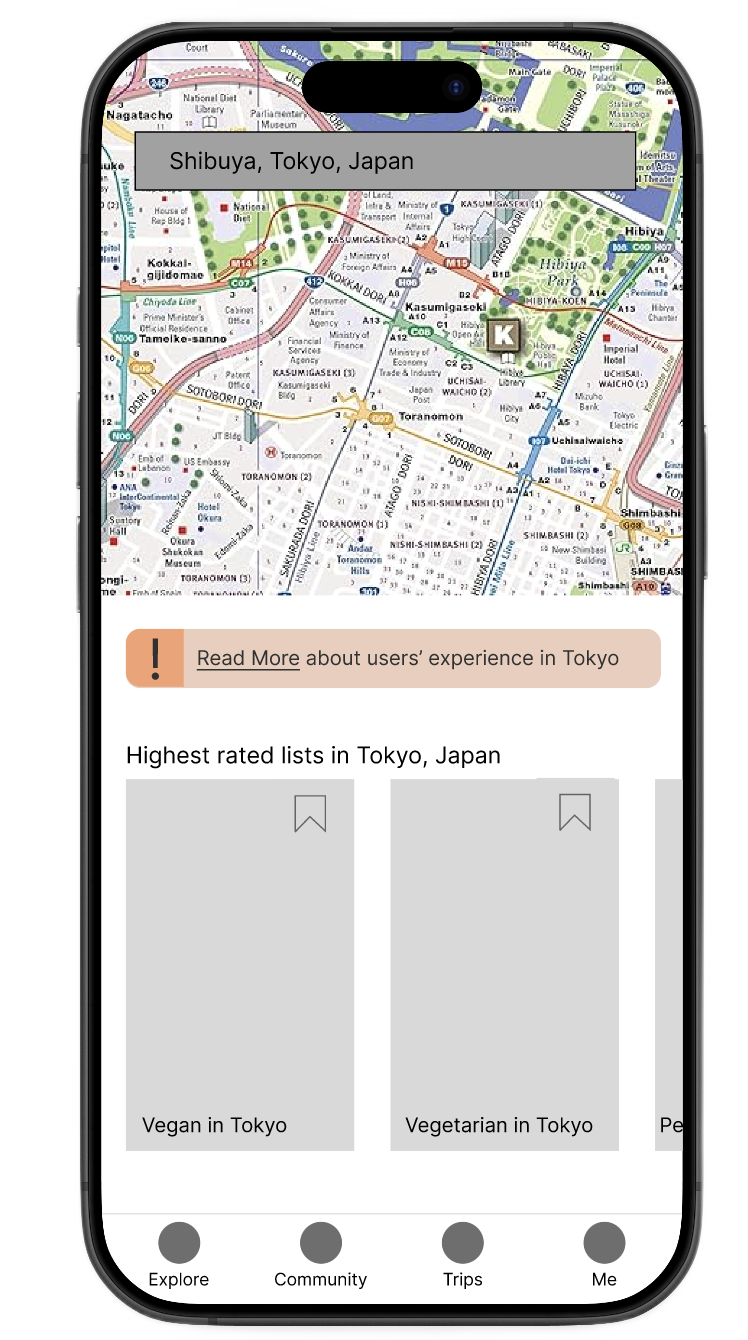
A banner that appears based on your destination and pulls from community knowledge already in the system. The information existed; it just wasn't in the app. Now it is. Users don't need to open a browser tab to verify what "vegetarian" means in Buenos Aires.
Add to Trip CTA
Swapped out the "Add Photo" button, which almost nobody used, for "Add to Trip." The space was already there. This just made it do something useful at the moment you're actually deciding whether a place is worth visiting.
Simplified restaurant screen
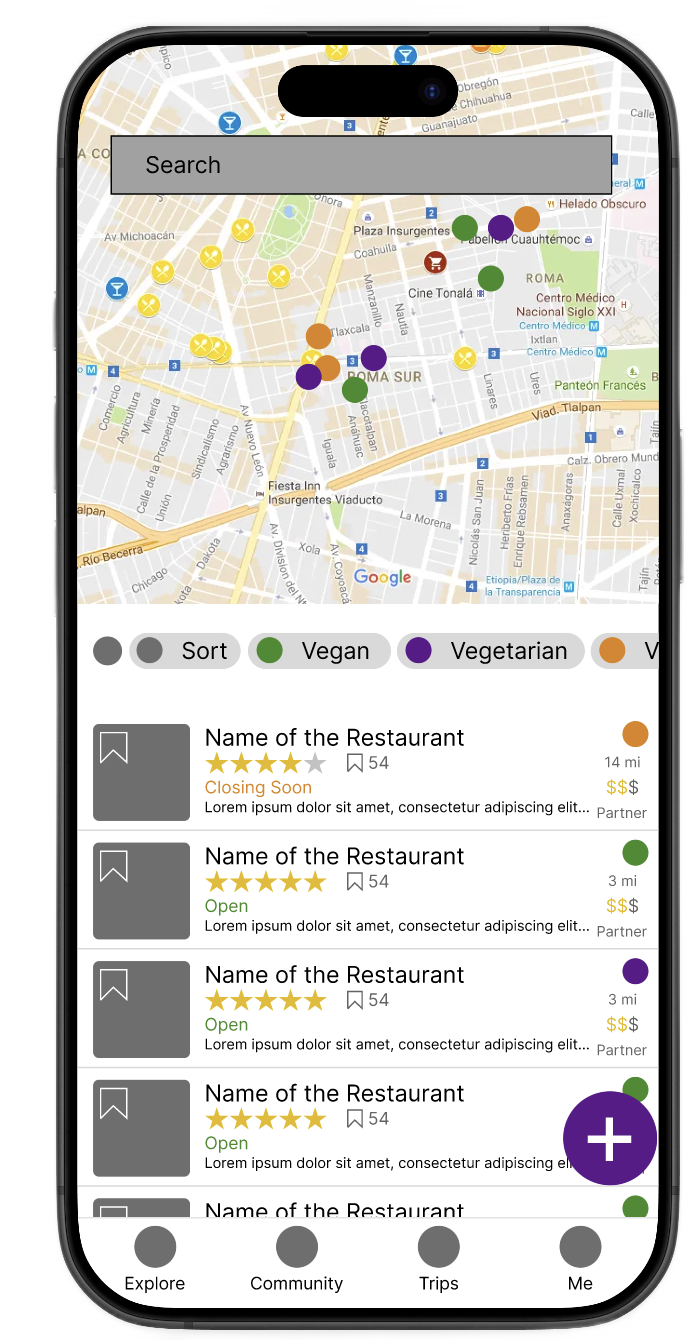
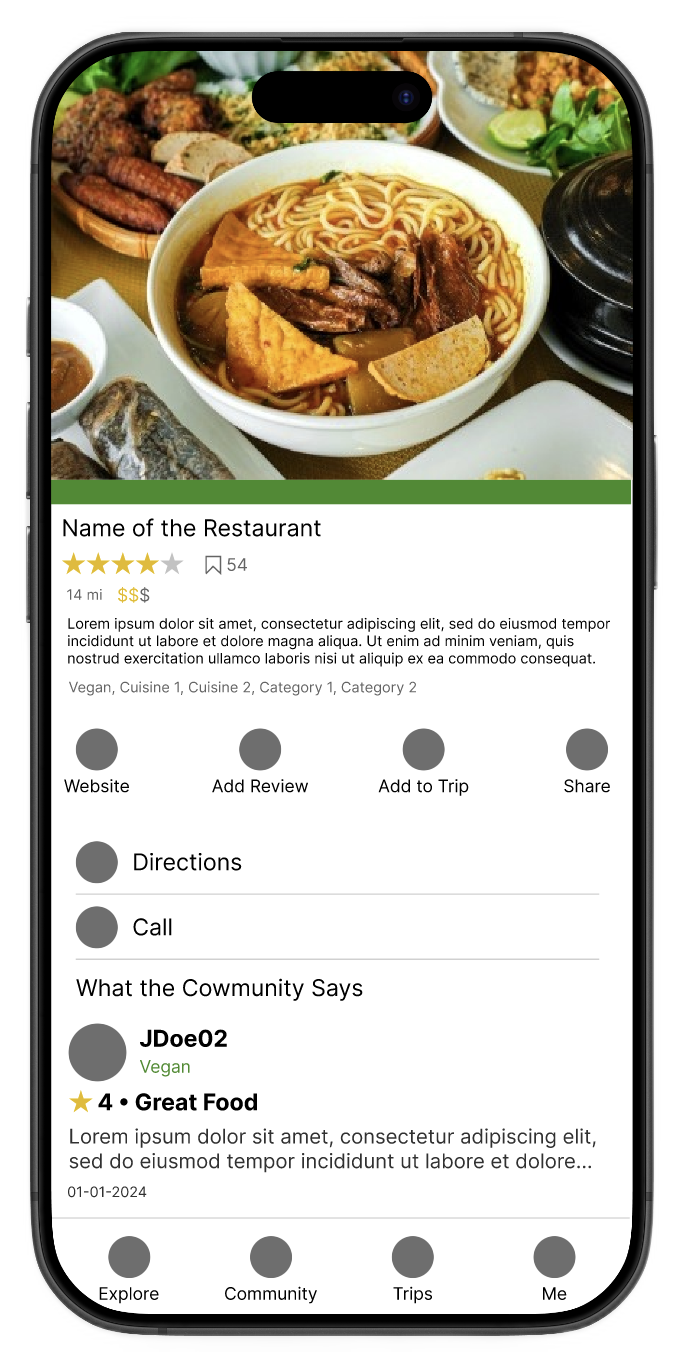
Cut the duplicate map, cut the second phone button, moved reviews up. Less scrolling, less noise. The information that actually helps you decide whether to eat somewhere is now the first thing you see.
Redesigned explore view
Destination search entry
Cultural dietary warning banner
Filtered results for destination
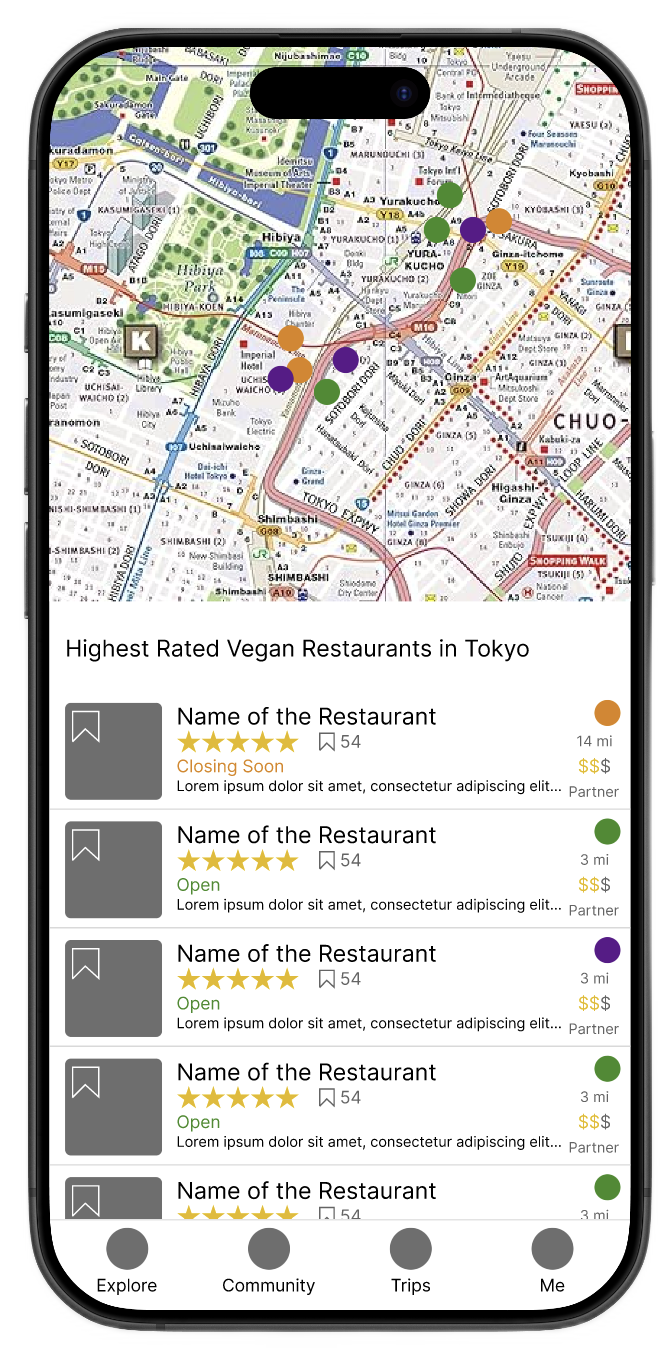
Restaurant results in Tokyo
Simplified restaurant detail
The medium-fidelity prototype demonstrating the workflow for creating a trip and adding a restaurant.

Results and what I'd do next

41
Person survey informing dietary warning design
Quantified the cross-cultural dietary gap
4
Navigation variants tested in think-aloud sessions
Dedicated tab preferred in every session
100%
Of usability participants preferred the dedicated Trips tab
Over all other navigation variants tested

What I took away from this project was how much the context of use matters. These users weren't at a desk. They were on the street, at a table, in a country where they didn't speak the language. An app that only helps you before you leave the hotel is only doing half the job. The dietary nuance problem wasn't a content problem; the knowledge was already there in the community. It was a surfacing problem.

If I had more time, offline mode and trip-sharing would be first. Both solve a real problem: you're abroad, your data is expensive, and you're trying to use an app that requires a connection.